
About me
MY HOMELAB

My own infrastructure.
Made to evolve.

My homelab is where I put my technical ideas into practice. I run my own services here, look after the hardware and try out new software and setups. Some machines are in use around the clock, while others are there for testing or simply because I want to find out how something works.

I look after everything myself, from the physical machines and storage to virtualization, backups, security and the applications. Here's what I use and why I've set it up this way.

HOMELAB / AT A GLANCE
6Virtual machines
10 GbitServer uplink
53D printers
2Monitored UPS units

The hardware and services I use for my projects and everyday IT work.

MY SERVER RACK

My rack, built from scratch.

Rather than spreading my equipment across shelves and desks, I built a rack to fit the space I had and the hardware I wanted to put in it. Having everything in one place makes cabling, power distribution and maintenance much easier.

Self-built server rack containing homelab and networking equipment
CUSTOM BUILD

Built to fit my setup.

The servers, storage, network equipment, UPS units and other components all have their place in the rack. Of course, it's never quite finished. Whenever I replace a machine, upgrade a connection or add a device, I can change the layout to suit it.

The layout keeps frequently used hardware accessible and leaves room for future changes. The monitor and pull-out keyboard with integrated touchpad beneath the modified enclosure form my local maintenance console.

A KVM switch gives me direct console access to my Proxmox host, OPNsense firewall, TrueNAS backup server and Windows jumpstation. I use it for maintenance, diagnosing boot problems and troubleshooting system faults, even when the network or the usual management interfaces are unavailable.

01 / CORE INFRASTRUCTURE

The machines behind the services.

At the heart of my homelab are three physical machines: a Proxmox host, a TrueNAS backup server and an OPNsense firewall. Most of my server applications run in VMs on Proxmox, but I deliberately keep backups and the firewall on separate hardware.

VIRTUALIZATION / COMPUTE

Proxmox VE server

My Windows and Linux server VMs run on this machine. It also houses the local storage and a dedicated graphics card, which I pass through to a VM for AI processing and media transcoding.

Mainboard
ASRock X570 Taichi
Processor
AMD Ryzen 9 5950X
Memory
128 GB DDR4
Networking
Aquantia 10 Gbit NIC
Storage
256 GB NVMe (Proxmox system)
Graphics
NVIDIA RTX 5060 Ti
STORAGE / BACKUP

TrueNAS backup server

I use a separate TrueNAS machine for scheduled backups of my VMs and important data. If something happens to the local storage on Proxmox, I still have another place to recover the data from.

Mainboard
Gigabyte H97N-WIFI
Processor
Intel Core i5-4460
Memory
16 GB DDR3
Networking
Intel I226 2.5 Gbit NIC
Storage
120 GB SATA SSD (TrueNAS system)
NETWORK / SECURITY

OPNsense firewall

OPNsense handles my routing, network segmentation, security and VPN services. I prefer to run the firewall on its own hardware rather than as a VM on the host whose services it protects.

Mainboard
Gigabyte H170N-WIFI
Processor
Intel Core i5-6500
Memory
32 GB DDR4
Networking
2 × Intel 1 Gbit NICs
Storage
128 GB NVMe (OPNsense system)

Storage and backups

I use different storage pools depending on what needs to go on them. My VMs need fast NVMe storage, larger files need capacity, and particularly important data has its own mirrored pool. TrueNAS gives me a separate destination for scheduled backups.

VIRTUAL MACHINES

2 × 2 TB NVMe

RAID 1 for VMs, local backups, and snapshots on Proxmox.

FILE STORAGE

6 × 8 TB HDD

RAID 5 file storage on the Proxmox host.

IMPORTANT DATA

2 × 4 TB HDD

RAID 1 for important data on the Proxmox host.

SEPARATE BACKUP SERVER

2 × 6 TB HDD

RAID 1 off-host backup storage on TrueNAS. Automated backups every Sunday.

Backups that run on their own.

I don't want to start backups by hand every week, and I don't need the backup server running all day either. That's why the whole routine is automated.

SCHEDULED TASKS

VM backups

Proxmox and Proxmox Backup Server take care of my scheduled VM backups. Once I've set up the jobs, I don't have to start them manually each time.

ON-DEMAND START

Wake-on-LAN

When a backup is due on TrueNAS, the server starts automatically via Wake-on-LAN.

BACKUPS ON TRUENAS

Off-host copies

Copies of my VM backups and important data go to TrueNAS, away from the local storage pools on Proxmox.

AUTOMATED SHUTDOWN

Only when needed

Once the backup jobs are finished, TrueNAS shuts down automatically. It only runs when I need it.

RAID and snapshots are useful, but neither replaces a separate backup. That's why I keep the different storage pools and the physical backup server.

02 / NETWORK & SECURITY

My network. Access and security.

My servers, PCs, Wi-Fi devices and smart-home equipment all need network access, but they don't all need access to each other. I use managed switches, multi-gigabit connections, a dedicated firewall and separate networks to keep things organized and control what can communicate.

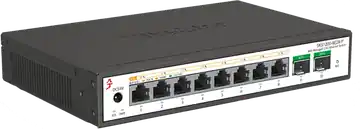
SKS3200-8E2X managed PoE network switch
MANAGED / PoE

SKS3200-8E2X

8 × 2.5 Gbit ports, 2 × 10 Gbit ports, PoE, web management.

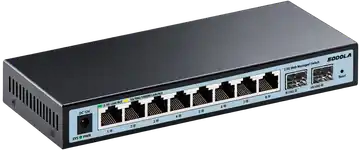
SL-8T2XS-WEB managed network switch
MANAGED

SL-8T2XS-WEB

8 × 2.5 Gbit ports, 2 × 10 Gbit ports, web management.

TP-Link EAP683 LR Wi-Fi access point
WI-FI

TP-Link EAP683 LR

Wireless access point for the home network.

NETWORK SERVICES

Routing, access & protection

  • OPNsense firewall and network routing
  • VLAN segmentation and a separate IoT network
  • WireGuard remote access and site-to-site VPN
  • DNS, DHCP, and AdGuard DNS filtering
  • Zenarmor and CrowdSec
  • Caddy reverse proxy, HTTPS, and Authelia OIDC authentication

There are also smart plugs, sensors, lights and other IoT devices around the house, but I'm not listing each of them here.

UNINTERRUPTIBLE POWER

Two independent UPS units

Green Cell 1500 VA / Server

This UPS is reserved for the Proxmox host.

Green Cell 1500 VA / Infrastructure

This one supplies the firewall, both switches, the access point, the jumpstation and TrueNAS.

I keep an eye on both UPS units using NUT and Nova Monitoring.

03 / VIRTUALIZATION

Six VMs. One role for each.

I've split my regular services across five VMs on Proxmox, each with its own role. A sixth VM is my Ubuntu test system, where I can try out ideas without interfering with the systems I use every day.

PROXMOX VE HYPERVISORFive production VMs and one test VM

All six VMs run on the same physical Proxmox host.

IDENTITY & FILE SERVICES

Infrastructure server

Active Directory, DNS, certificate services, SMB/DFS file services and printing all run here. Many of my other systems rely on these services.

COMMUNICATION

Mail & groupware server

I run my mail and calendars on grommunio, with Postfix and IMAP/SMTP for the mail services. Hosting it myself means I can manage the configuration directly.

APPLICATION PLATFORM

Application server

This VM hosts shared application services and Docker workloads. Nova Monitoring is one of several independent applications running here.

WEB PLATFORM

Web server

This is where I host ducki.at, Nova Intranet, upload functions and the other web-related services. It's also where several of my projects are put to everyday use.

GPU-ACCELERATED WORKLOADS

AI & media server

The NVIDIA RTX 5060 Ti is passed through from the Proxmox host to this VM. Nova uses it for local AI workloads, and Plex uses NVENC for hardware-accelerated transcoding.

GPU PASSTHROUGHAI COMPUTENVENC
TESTING & EXPERIMENTATION

Ubuntu test VM

This is where I get to experiment. I try out new software, configurations and ideas before deciding what makes sense for the rest of my homelab.

04 / SELF-HOSTING

Services I run myself.

I like running my own services, partly because I can decide how they're configured and partly because I enjoy working with the technology. Mail, storage, identity, web applications, local AI and automation all come with their own challenges. Keeping them running together is one of the things I find most interesting about IT.

IDENTITY & FILES

Core infrastructure

Active Directory, DNS, certificate services, SMB/DFS file services and printing.

MAIL & COMMUNICATION

Messaging & groupware

grommunio, Postfix, IMAP/SMTP, calendars and TeamSpeak 6.

STORAGE & CLOUD

Private cloud

Nextcloud, TrueNAS, shared file storage and scheduled backups.

MEDIA & SMART HOME

Everyday services

Plex with hardware-assisted transcoding and Home Assistant for smart-home automation.

AI & KNOWLEDGE

Local AI platform

Nova AI, Nova WebUI, Ollama and Qdrant for AI workflows, project knowledge and technical work.

SYSTEM MONITORING

Monitoring & telemetry

Nova Monitoring, custom agents and collectors, service checks and UPS monitoring through NUT.

WEB & DATA

Web technologies

Apache, Nginx, PHP, MariaDB, PostgreSQL, Caddy and locally hosted LibreTranslate.

PLATFORMS & BACKUPS

Operations

Docker, Docker Compose, Proxmox Backup Server, TrueNAS backup jobs and automation scripts.

05 / WORKSTATIONS & TEST SYSTEMS

The machines I work and play on.

Away from the rack, I have my main PC, a living room PC, a hardware testbench, a small Windows jumpstation and a notebook. Each machine has its own job. And because gaming is still one of my hobbies, I also run my own three-node ARK: Survival Ascended cluster.

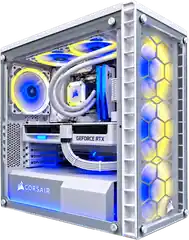
Main workstation PC
MAIN PC

Development workstation

This is my main PC for software development, gaming, everyday work and demanding local workloads.

Hardware specifications

Mainboard
Gigabyte X870E AORUS PRO ICE
Processor
AMD Ryzen 9 9900X3D
Memory
48 GB DDR5
Graphics
GeForce RTX 5080
Storage
1 TB + 2 TB NVMe
Network adapter
Realtek 2.5 Gbit LAN
Living room PC
MEDIA & LOCAL MULTIPLAYER

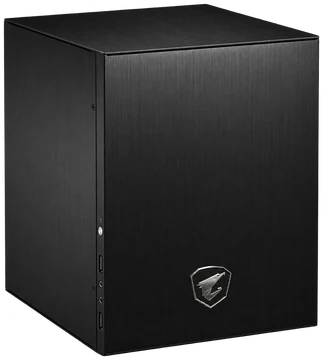
Living room PC

My living room PC is for media and playing together with friends on one screen, from Bomberman and Overcooked to pen-and-paper sessions.

Hardware specifications

Mainboard
Gigabyte H510M S2H
Processor
Intel Core i5-10400
Memory
32 GB DDR4
Graphics
Radeon RX 5600
Storage
512 GB NVMe
Network adapter
PCIe 2.5 Gbit NIC
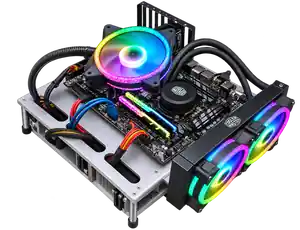
Open PC testbench
HARDWARE DIAGNOSTICS

PC repair & testbench

My open testbench lets me diagnose and test hardware without taking my main PC apart.

Hardware specifications

Mainboard
Gigabyte Z370 HD3P
Processor
Intel Core i7-9700
Memory
32 GB DDR4
Graphics
GeForce GTX 1660 (as needed)
Storage
512 GB NVMe
Network adapter
USB-C 2.5 Gbit adapter
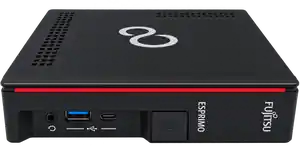
Fujitsu ESPRIMO G5010 jumpstation
JUMPSTATION

Remote administration PC

This compact Windows PC is my jumpstation for remote administration through Nova Remote.

Hardware specifications

Device model
Fujitsu ESPRIMO G5010
Processor
Intel Core i5-10400T
Memory
32 GB DDR4
Graphics
Intel UHD 630
Storage
256 GB NVMe
Network adapter
USB-C 2.5 Gbit adapter
Acer Swift SFG16-71 notebook
MOBILE WORKSTATION

Mobile work notebook

I use this notebook for mobile work and whenever I need a PC away from my main desk.

Hardware specifications

Device model
Acer Swift SFG16-71
Processor
Intel Core i5-1335U
Memory
16 GB LPDDR5
Graphics
Intel Iris Xe Graphics (80 EUs)
Storage
1 TB NVMe
Network adapter
Intel AX211 (Wi-Fi 6E)
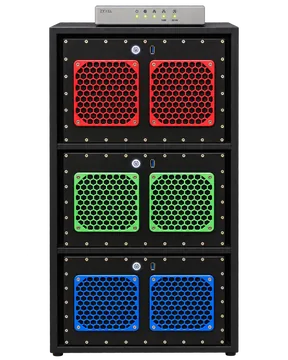
Three ARK: SA cluster nodes with red, green and blue front panels
GAME SERVER CLUSTER / 3 NODES

ARK: SA cluster

Three identical physical servers run my ARK: Survival Ascended cluster, independently of Proxmox. I built their rack from 3D-printed parts.

Hardware per node

Mainboard
Gigabyte B550M DS3H
Processor
AMD Ryzen 9 5950X
Memory
128 GB DDR4
Graphics
GeForce GT 710
System drive
128 GB NVMe
Data drives
2 × 1 TB NVMe RAID 1
06 / 3D PRINTING

Five printers. Different jobs.

Whether I'm modding a PC, repairing something, organizing my storage or making something completely different, I often end up using a 3D printer. Having several machines means I can keep different nozzle sizes and materials ready instead of rebuilding the same setup for every print.

PLA & PETG

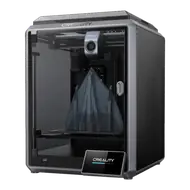
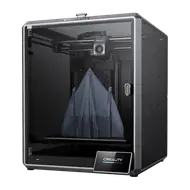
I use three Creality printers for PLA and PETG, with different nozzle sizes for fine details, everyday parts and larger prints.

Creality K1 3D printer
FINE DETAIL / 0.2 MM

Creality K1

0.2 mm nozzle · PLA and PETG.

Creality K1 Max 3D printer with 0.4 mm nozzle
EVERYDAY PRINTING / 0.4 MM

Creality K1 Max

0.4 mm nozzle · PLA and PETG.

Creality K1 Max 3D printer with 0.6 mm nozzle
LARGER NOZZLE / 0.6 MM

Creality K1 Max

0.6 mm nozzle · PLA and PETG.

Engineering & reinforced materials

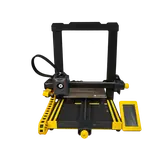
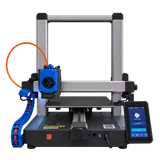
I've modified two Anycubic printers for materials such as ASA, PA and selected abrasive glass- or carbon-fiber-reinforced filaments.

Anycubic Kobra 2 3D printer
MODIFIED / ENGINEERING FILAMENTS

Anycubic Kobra 2

Modified for more demanding engineering and abrasive filaments.

Anycubic Kobra 3 3D printer
MODIFIED / ENGINEERING FILAMENTS

Anycubic Kobra 3

Modified for more demanding engineering and abrasive filaments.

I print brackets, adapters, mounts, enclosures, cable-management parts, organizers, replacement parts, prototypes and decorative objects. Sometimes I find a model and adapt it, sometimes I design the part myself in CAD. And of course I also enjoy modifying the printers themselves.

07 / SERVICES & AUTOMATION

What I run on all that hardware.

As much as I enjoy working on hardware, it's the software running on it that makes the homelab useful to me. I use it for administration, my own applications, communication, storage and all the recurring tasks I'd rather automate than do by hand every week.

INFRASTRUCTURE MONITORING

Nova Monitoring

Nova Monitoring brings together information from my servers, network devices, VMs, storage, 3D printers and UPS units. I use different agents and collectors depending on the platform.

AI & MEDIA

Nova AI & Plex

The NVIDIA RTX 5060 Ti is shared by Nova AI for local AI workloads and Plex for hardware-accelerated media transcoding.

WEB & APPLICATIONS

Nova CMS, ducki.at & Nova Intranet

The website you're reading runs on Nova CMS. For users of my own infrastructure, I run a separate internal portal with Nova Intranet.

REMOTE ACCESS

Nova Remote

With Nova Remote I can access my Windows jumpstation in the browser and use the administration tools I need for the rest of my infrastructure.

SELF-HOSTED SERVICES

Nextcloud, Home Assistant & more

I use Nextcloud for private cloud storage, Home Assistant for smart-home automation, grommunio and TeamSpeak 6 for communication, and Authelia for selected access services.

DAILY OPERATIONS

Custom automation

Scripts, scheduled backup jobs, monitoring agents and integrations save me from doing the same work over and over and help me keep track of what's going on.

Using my own projects at home.

This is where I find out whether the ideas Nova and I come up with actually make sense in everyday use. Two of my projects are particularly useful when I'm working on the homelab.

CENTRAL STATUS OVERVIEW

Nova Monitoring

When I need details, I open the Nova Monitoring web dashboard. For a quick look at my servers, storage, network, services and UPS units, I have a separate display in landscape mode. I don't have to open a different interface for everything. And if my backup server is off because there's no backup running, I want monitoring to distinguish that from a real outage.

DEVELOPMENT IN MY HOMELAB

Nova AI

When something doesn't work as expected, I can discuss the problem with Nova, go through technical information and plan a change with her. My test VM gives me somewhere to try things out before they affect the rest of the setup. And when a new tool proves useful in everyday life, we can build on what we've learned.